PLAN THE
PERFECT
LANDING.
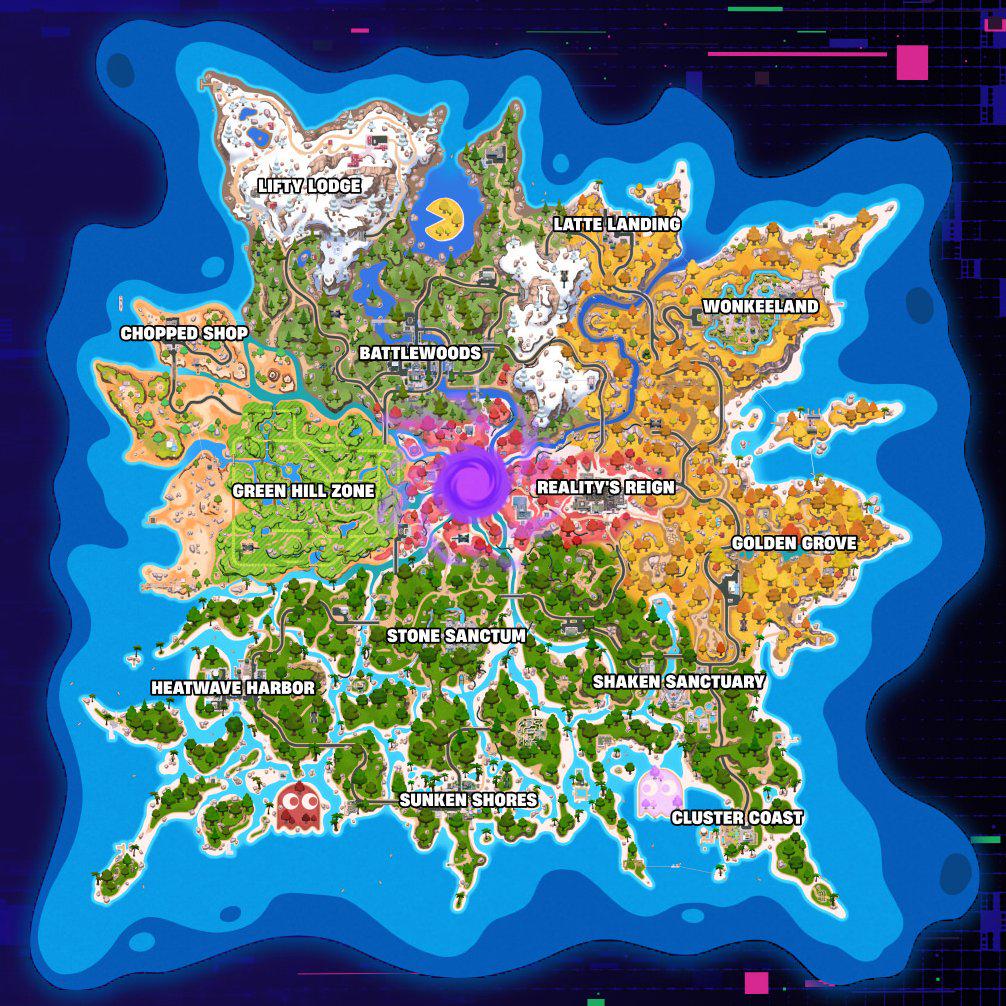
Physics-driven drop routing, live squad targets, storm rotation math and a competitive notebook — all in one tactical HUD.
Epic Services
📰 Latest News
View all ➔🛍️ Shop Highlights
View all ➔What's new in V3.0
A rebuilt dual-phase flight engine (freefall + glide) with real terrain-collision checking, squad mode for up to four simultaneous drop targets, storm rotation math, a measuring ruler, undo/redo, and PNG/JSON export. See the Changelog tab for the full list.
How to get your saved Fortnite replays
What the review checks
The review runs through reading the replay, reconstructing the match timeline, analyzing fights and positioning, scoring build and resource usage, and compiling your report.
Weapon / Loot Tier List
Rotation Notes
Scrim / Tournament Log
| Match | Placement | Elims | Points |
|---|
- Rebuilt flight engine: dual-phase freefall + glide simulation with real terrain-collision detection
- Squad Mode — up to 4 simultaneous colour-coded targets with per-player timing
- Storm circle tool with rotation distance/time estimate
- Measuring ruler, POI bookmarks, undo/redo, PNG export, JSON export/import
- Full launcher rebuild: live news, live shop, live server status, meta notebook, changelog
- Terrain Auto-Glider — elevation-aware deploy distance for mountainous drops
- Four save-rotation slots with per-slot autoload
- Introduced tactical drawing tools: claims, arrows, labels
- Theme engine with four accent presets
- Initial release — bus line and single optimal-drop calculator
Admin authentication
Enter the admin password to unlock sponsorship and website controls.
Add sponsorship
Add a partner card to the Sponsors tab.
Website customization
These settings are shared across every user.
Visual Quality Mode
Enable Performance mode to strip out blurs and map vignettes for maximum FPS.
UI Theme
Select your tactical accent color.
UI Sound
Click, hover and transition feedback across the whole app.
Master Volume
Overall loudness of UI sound effects.
Ambient Menu Hum
A soft background drone that plays while the launcher hub is open.
Autosave Active Slot
Automatically save the active rotation slot as you edit.
Flight Engine Model
Advanced = altitude-based dual-phase physics. Classic = original heuristic model.
Bus Speed
Horizontal speed of the battle bus (units/sec).
Forced Deploy Altitude
Minimum height above terrain before the glider auto-deploys.